




How to Fix Crawl Errors in Google Search Console
If your pages are not ranking or appearing in Google, crawl issues might be the reason. Understanding how to fix crawl errors in Google Search Console is one of the most important technical SEO skills every website owner must master.
Crawl errors prevent search engines from properly accessing your pages. If Google cannot crawl your content, it cannot index it. And if it cannot index it, it will never rank.
In this complete tutorial, you will learn how to identify, analyse, and fix crawl errors in Google Search Console step by step.
What Are Crawl Errors?
Crawl errors occur when Googlebot attempts to visit a page on your website but fails. These errors are reported inside Google Search Console under the Page Indexing or Crawl Stats reports.
Common types include:
- 404 errors (Page not found)
- Server errors (5xx)
- Redirect errors
- Blocked by robots.txt
- Soft 404 errors
- DNS failures
Fixing these crawl errors in Google Search Console improves indexing and strengthens your site’s technical foundation.
Why Crawl Errors Hurt SEO
Ignoring crawl errors can damage your website’s performance in several ways:
1. Pages Don’t Get Indexed
If Google cannot crawl a page, it won’t appear in search results.
2. Crawl Budget Is Wasted
Search engines allocate limited crawl resources. Crawl issues waste that budget.
3. Poor User Experience
Broken pages reduce trust and increase bounce rates.
4. Lower Authority Signals
Frequent website crawl problems send negative quality signals.
That’s why learning how to fix crawl errors in Google Search Console is critical for long-term SEO success.
Step 1: Identify Crawl Errors in Google Search Console
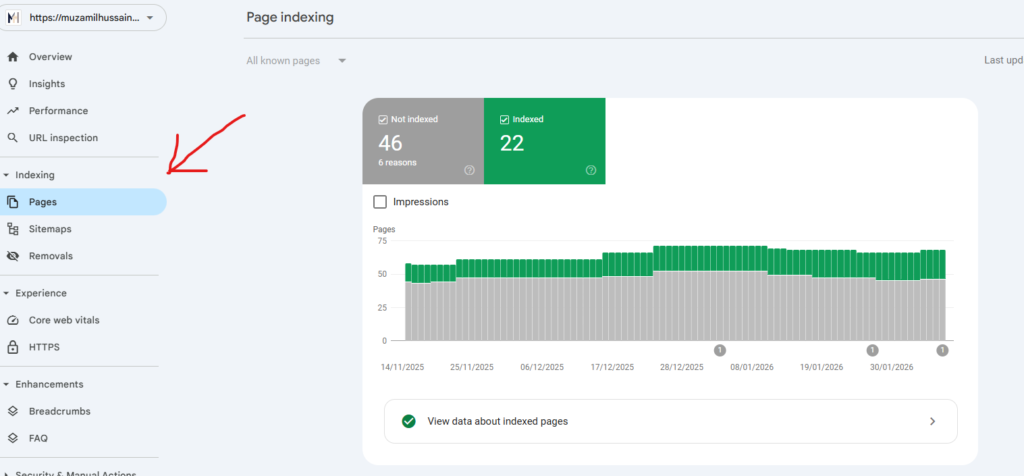
Log in to Google Search Console.
Go to:
Indexing → Pages
Here you will see:
- Not indexed pages
- Error pages
- Pages with warnings
- Valid pages
Click on any issue to view affected URLs. This is the first step to properly fix crawl errors in Google Search Console.
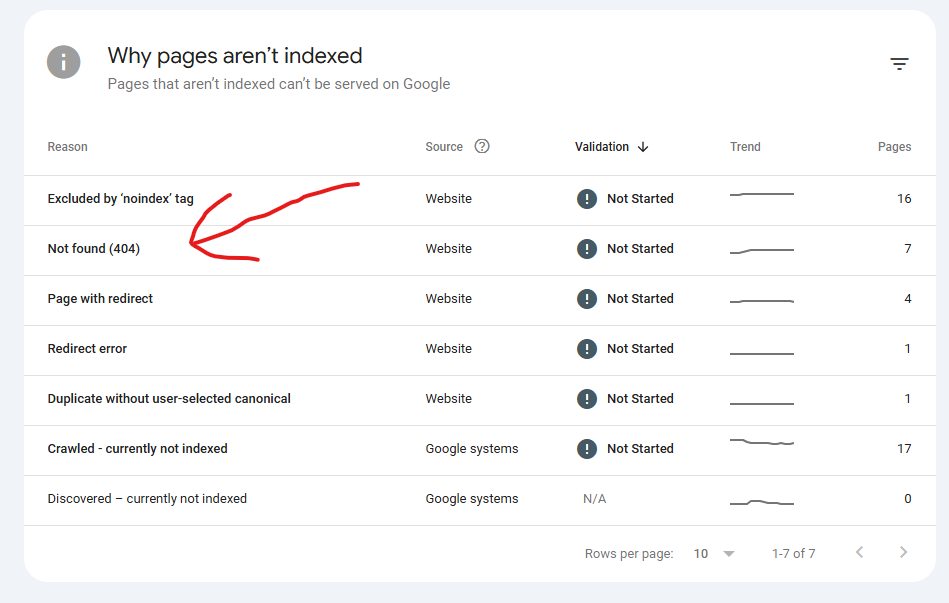
Step 2: Fix 404 Errors (Page Not Found)
404 errors are the most common crawl errors in Google Search Console.
Why They Happen:
- Deleted pages
- Broken internal links
- Incorrect URLs
- Old backlinks pointing to removed pages
How to Fix Them:
✔ Restore the deleted page (if important)
✔ Redirect the URL to a relevant page (301 redirect)
✔ Remove broken internal links
✔ Update outdated backlinks if possible
Not every 404 needs fixing, but important pages must be handled carefully.
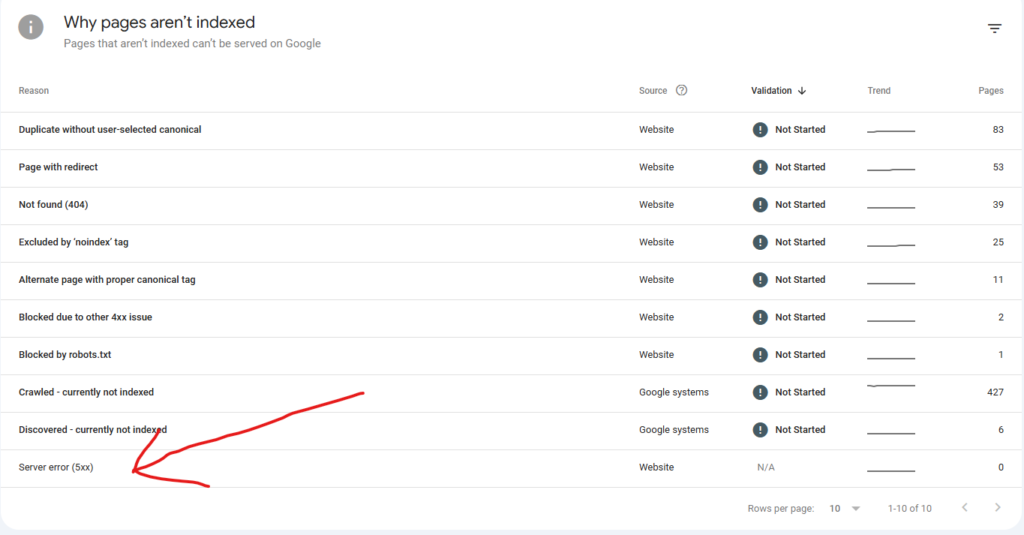
Step 3: Fix Server Errors (5xx Errors)
Server errors indicate hosting or backend issues.
Common types:
- 500 Internal Server Error
- 503 Service Unavailable
- 502 Bad Gateway
How to Fix Server Errors:
- Contact your hosting provider
- Upgrade hosting plan if overloaded
- Check server logs
- Fix faulty plugins or themes
Server errors are serious crawl issues and must be resolved quickly.
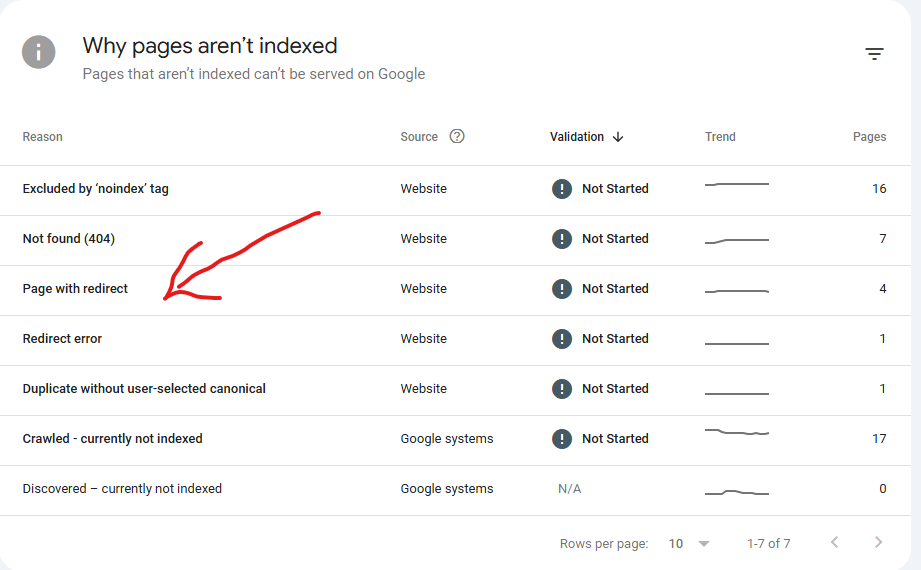
Step 4: Fix Redirect Errors
Redirect errors happen when:
- There are redirect loops
- Too many redirects
- Broken redirect chains
How to Fix Redirect Issues:
Avoid redirect chains (A → B → C)
Use direct 301 redirects
Test redirects using tools
Proper redirect management helps eliminate crawl errors in Google Search Console.
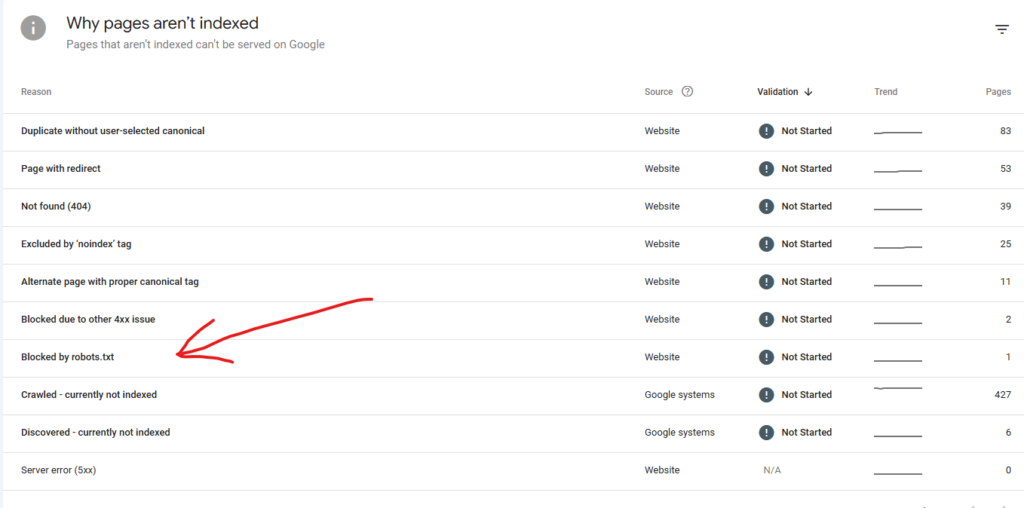
Step 5: Fix Blocked Pages (Robots.txt Issues)
Sometimes pages are blocked unintentionally.
Check your robots.txt file:
Example:
User-agent: *
Disallow: /important-page/
If important pages are blocked, remove the restriction and resubmit the URL for indexing.
Incorrect robot rules often cause hidden website crawl problems.
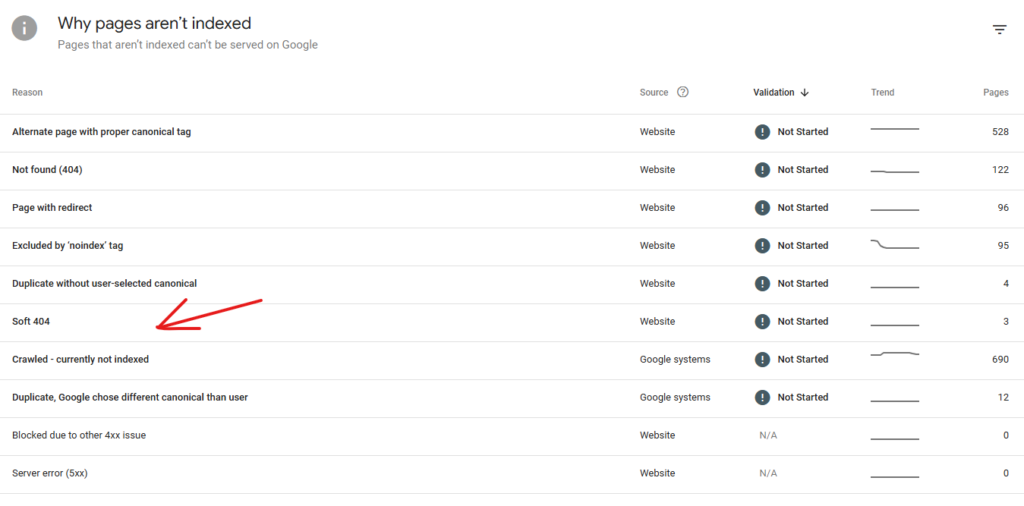
Step 6: Fix Soft 404 Errors
A soft 404 happens when a page looks empty but returns a 200 status code.
Google thinks:
“This page exists but has no real content.”
How to Fix Soft 404:
Add meaningful content
Redirect thin pages
Properly return 404 if page is gone
Fixing soft errors improves overall indexing quality.
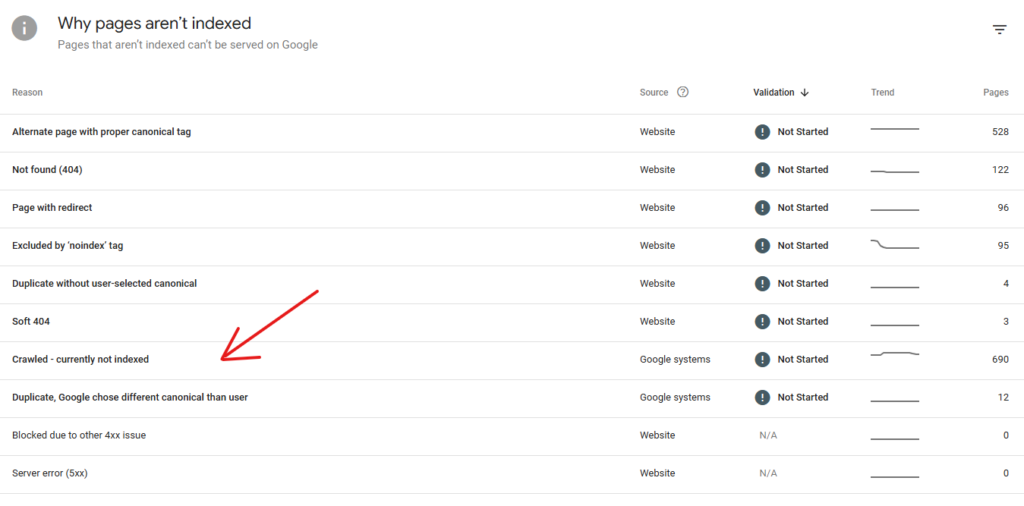
Step 7: Resolve “Crawled Currently Not Indexed”
This is one of the most confusing crawl errors in Google Search Console.
Google crawled the page but chose not to index it.
Reasons include:
- Thin content
- Duplicate content
- Low-value pages
- Weak internal linking
Fix It By:
- Improving content quality
- Adding internal links
- Removing duplicate pages
- Updating outdated information
High-quality content helps eliminate crawl issues.
Step 8: Request Reindexing
After fixing errors:
- Use URL Inspection tool
- Click “Request Indexing”
- Submit updated sitemap
This tells Google to re-crawl your fixed page.
Best Practices to Prevent Crawl Errors
Prevention is better than repair.
Here’s how to reduce future crawl errors in Google Search Console:
- Regularly audit broken links
- Monitor Search Console weekly
- Keep XML sitemap updated
- Avoid unnecessary redirects
- Use strong internal linking
- Ensure fast hosting
Consistent monitoring prevents major website crawl problems.
How Internal Linking Helps Reduce Crawl Errors
Strong internal linking improves crawl efficiency.
When your pages are well connected:
- Google discovers content faster
- Crawl depth decreases
- Important pages get priority
Internal SEO and crawl optimisation work together.
Tools to Diagnose Crawl Issues
Besides Google Search Console, use:
- Screaming Frog
- Ahrefs Site Audit
- SEMrush Audit Tool
- Google PageSpeed Insights
These tools help detect hidden SEO technical issues before they escalate.
Crawl Errors vs Indexing Errors
Many people confuse the two.
| Crawl Errors | Indexing Errors |
| Google cannot access page | Google accessed but didn’t index |
| Often technical issue | Often content quality issue |
| Server, 404, redirect issues | Duplicate, thin, low-value content |
Understanding this difference helps you properly fix crawl errors in Google Search Console.
Final Thoughts
Learning how to fix crawl errors in Google Search Console is essential for every website owner serious about SEO.
Crawl issues block rankings silently. You may have great content, strong backlinks, and perfect keywords but if Google cannot crawl your pages, none of it matters.
Make it a habit to:
- Check Search Console weekly
- Fix errors immediately
- Improve content quality
- Maintain clean technical structure
Strong technical health builds authority, trust, and long-term rankings.
FAQs
What are crawl errors in Google Search Console?
They are issues preventing Googlebot from accessing your pages properly.
How often should I check crawl errors?
At least once a week or after major website updates.
Are 404 errors bad for SEO?
Not all 404s are bad. Only important or linked pages must be fixed.
What is the fastest way to fix crawl issues?
Identify errors in Search Console, correct them, and request reindexing.
Can crawl errors affect rankings?
Yes. Crawl errors reduce indexing efficiency and hurt SEO performance.