




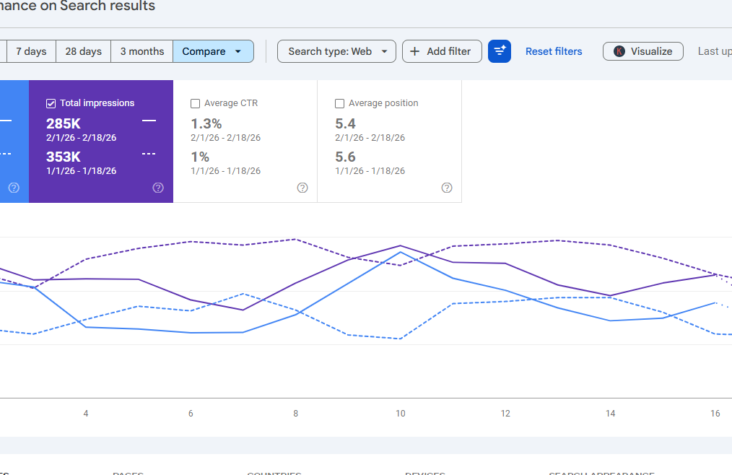
AI-Powered Configuration in Google Search Console: A Game Changer for SEO Professionals
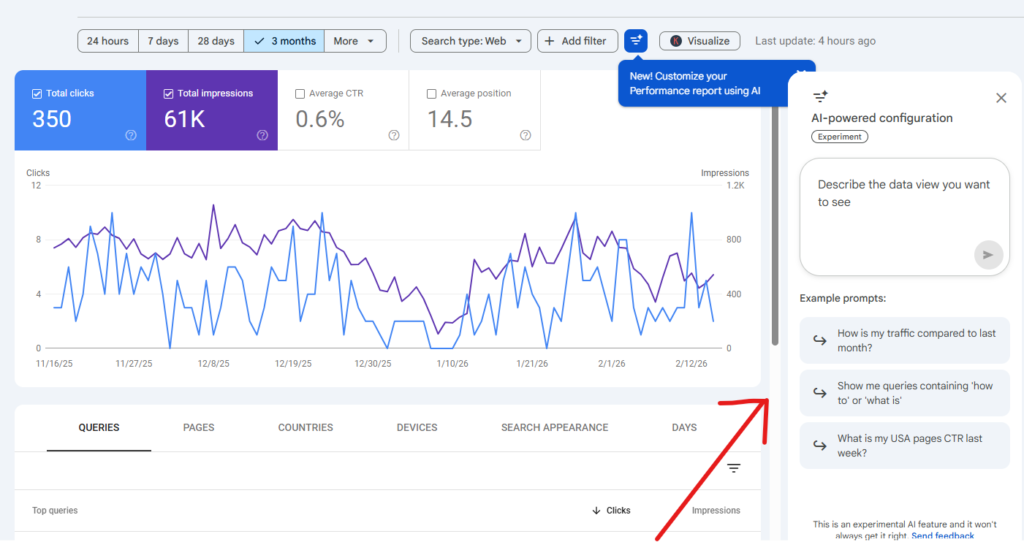
On December 4, 2025, Google Search Console introduced a powerful experimental feature: AI-powered configuration inside the Performance report.
For SEO professionals, digital marketers, and website owners, this update is more than just a small enhancement it’s a major step toward AI-driven SEO analysis and reporting automation.
As a Senior SEO Specialist, I believe this feature has the potential to significantly improve workflow efficiency, reduce reporting time, and enhance data-driven decision-making.
In this article, I’ll break down:
- What AI-powered configuration is
- How it works
- Practical use cases
- Limitations
- And how SEOs can leverage it strategically
What Is AI-Powered Configuration in Google Search Console?
The new AI-powered configuration feature allows users to describe the type of analysis they want using natural language, and the system automatically applies the appropriate:
- Filters
- Comparisons
- Metrics
Instead of manually selecting query filters, page filters, date ranges, and devices, you can simply type:
“Compare traffic for blog pages this quarter vs last year.”
And the tool configures the report instantly.
This feature is currently available in the Performance report for Search results only.
How the AI Feature Works
The AI-powered configuration streamlines analysis by handling three key elements:
Applying Filters Automatically
You can filter by:
- Query
- Page
- Country
- Device
- Search appearance
- Date range
Example:
“Show me queries on mobile that contain ‘sports’ in the last 6 months.”
Instead of manually selecting device = mobile + query filter + date range AI does it instantly.
Configuring Complex Comparisons
Setting up custom date comparisons manually can be time-consuming.
Now you can type:
“Compare traffic for pages that contain ‘/blog’ this quarter to the same quarter last year.”
The tool sets up the comparison without navigating multiple dropdown menus.
Selecting the Right Metrics
You can instruct the system to show specific metrics:
- Clicks
- Impressions
- Average CTR
- Average Position
Example:
“Show Average CTR and Average Position for my queries in Spain in the last 28 days.”
This is extremely helpful for quick client reporting and performance audits.
Why This Update Matters for SEO Professionals
Faster Reporting
For agencies and freelancers, reporting takes time. AI-powered configuration reduces manual setup time and allows more focus on strategy and insights.
Improved Data Exploration
You can test hypotheses quickly:
- Branded vs non-branded queries
- Blog vs service pages
- Country-specific performance
- Mobile vs desktop comparison
This makes Google Search Console more interactive and flexible.
Better Client Communication
Instead of spending 15 minutes configuring reports, you can instantly generate insights during client calls.
For example:
“Let’s compare your product pages traffic before and after the update.”
Real-time analysis = stronger authority.
Limitations You Should Know
Although this is a powerful addition, it’s still experimental and has limitations:
- Only available in the Performance report (Search results)
- Not supported in Discover or News reports
- AI may misinterpret complex queries
- Cannot sort tables or export data using AI
- You must verify the applied filters before analyzing data
Always review the AI-generated configuration to ensure it matches your intent.
Strategic SEO Use Cases
Here’s how I recommend using this feature in real SEO workflows:
Content Performance Analysis
Check the performance of blog categories quickly.
Example:
“Show clicks for pages that include ‘SEO’ in the last 90 days.”
International SEO Insights
Analyze country-specific performance in seconds.
Example:
“Show impressions and CTR for queries in UAE in last 3 months.”
Core Update Impact Analysis
Compare pre-update vs post-update traffic easily.
Example:
“Compare last 30 days to the previous 30 days for service pages.”
Mobile SEO Optimization
Instantly analyze mobile search performance.
Example:
“Show mobile queries with average position above 10.”
This makes troubleshooting much faster.
The Future of AI in SEO
Google is clearly moving toward AI-assisted workflows across its ecosystem.
With AI-powered configuration inside Google Search Console, we’re seeing:
- Less manual filtering
- Faster data access
- More conversational analytics
This signals a shift toward AI-driven SEO management.
As AI continues evolving, we can expect:
- Automated insights
- Smart recommendations
- Performance anomaly detection
- Advanced predictive analysis
Final Thoughts
The AI-powered configuration feature in Google Search Console is not just a convenience update it’s a productivity upgrade for SEO professionals.
While it’s still in limited rollout, it shows Google’s direction toward intelligent search analytics.
As a data-driven SEO Specialist, I see this as a valuable tool for:
- Faster reporting
- Better performance audits
- Smarter SEO strategy decisions
If you’re serious about scaling your SEO efforts, staying updated with features like this is critical.